 by
by Introduction
If you’ve ever managed SEO for clients, you already know this pain:
Reporting takes more time than actual SEO work.
Pulling data, formatting reports, explaining results—it gets exhausting fast.
I learned this the hard way while juggling multiple clients. The real breakthrough came when I started using the right SEO reporting tools. Not just for automation, but for clarity.
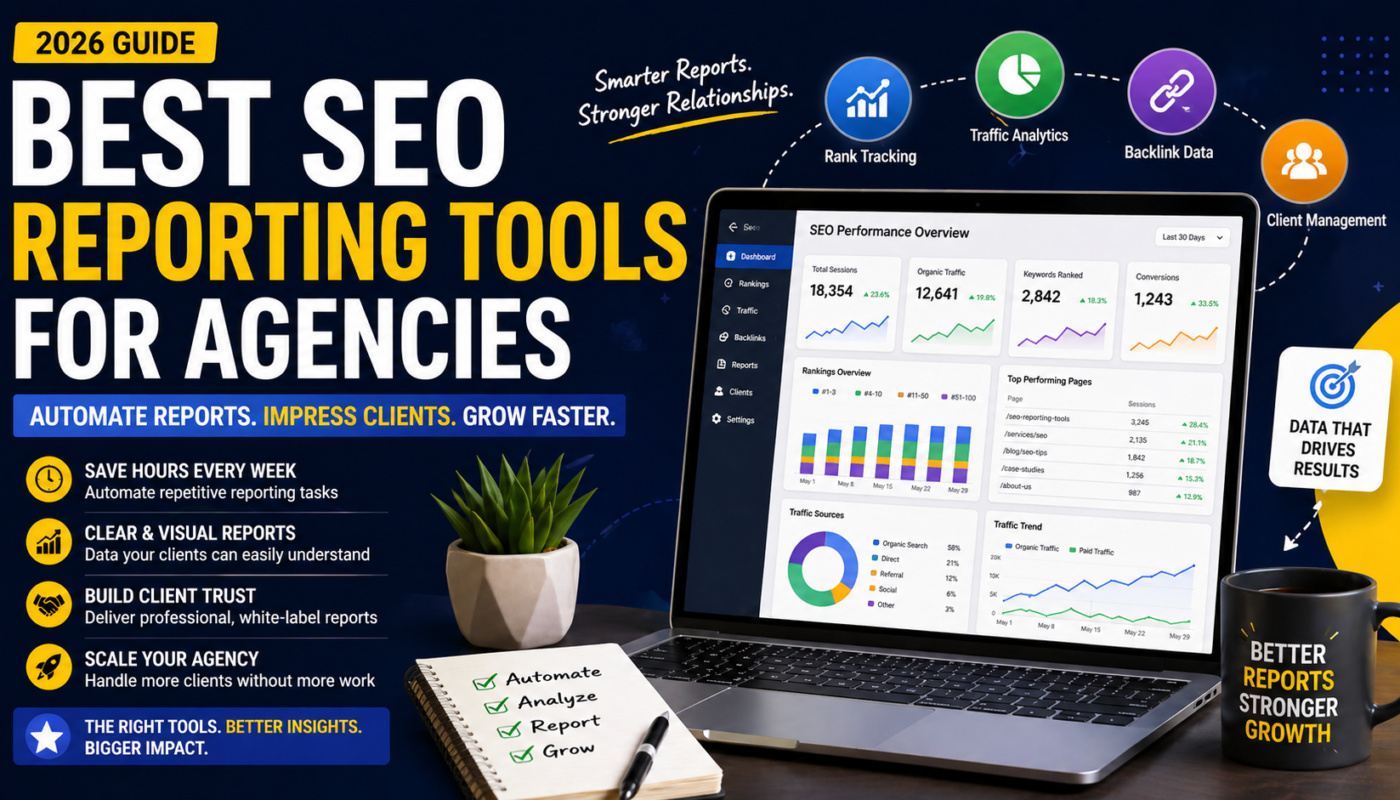
In this guide, I’ll show you the best SEO reporting tools for agencies, how they actually help in real workflows, and which ones are worth your time (and money).
What are SEO Reporting Tools for Agencies?
Simple Explanation
SEO reporting tools are platforms that help agencies collect, analyze, and present SEO data in a way clients can understand.
Instead of manually compiling reports, these tools automate the following:
- Keyword rankings
- Traffic data
- Backlinks
- Performance metrics
Think of them as your client communication system for SEO results.
Key Benefits
Save time on reporting
Automate repetitive tasks
Improve client communication
Turn data into easy-to-understand insights
Increase retention
Clear reporting builds trust
Better decision-making
Spot trends faster
Quick Summary Points
- Automate SEO reports
- Track rankings and performance
- Visualize data clearly
- Improve client trust
- Scale agency operations
Why People Search for SEO Reporting Tools for Agencies
Pain Points
- “Reporting takes too long”
- “Clients don’t understand SEO data.”
- “Managing multiple clients is overwhelming.”
- “Manual reports are inconsistent”
Real-Life Scenarios
- An agency spending hours creating monthly reports
- A freelancer struggling to explain SEO results to clients
- A growing agency needing scalable reporting systems
I’ve personally cut reporting time by 70% just by switching tools.
Best SEO Reporting Tools for Agencies (Expert Picks)
SEMrush
Features
- Automated reports
- Keyword tracking
- Site audits
Benefits
- All-in-one platform
- Strong data accuracy
Best For
Agencies managing multiple clients
Hidden Insight / Pro Tip
Use SEMrush’s white-label reports to make your agency look more professional instantly.
Ahrefs
Features
- Backlink tracking
- Keyword data
- Competitor insights
Benefits
- Deep data analysis
- Reliable backlink reports
Best For
Advanced SEO agencies
Hidden Insight
Clients care more about growth trends than raw data—focus reports on that.
Google Looker Studio (Data Studio)
Features
- Custom dashboards
- Data integration
- Visual reports
Benefits
- Free
- Highly customizable
Best For
Agencies wanting full control
Hidden Insight
The real power comes when you connect multiple data sources into one dashboard.
AgencyAnalytics
Features
- Automated client reporting
- White-label dashboards
- Rank tracking
Benefits
- Built for agencies
- Easy to use
Best For
Client reporting automation
Hidden Insight
One of the fastest tools to set up—great for scaling quickly.
SE Ranking
Features
- Report builder
- Keyword tracking
- Competitor analysis
Benefits
- Budget-friendly
- Clean interface
Best For
Small to mid-sized agencies
DashThis
Features
- Marketing dashboards
- Automated reporting
- Data integrations
Benefits
- Simple setup
- Visual reports
Best For
Non-technical users
Raven Tools
Features
- Reporting automation
- SEO audits
- Rank tracking
Benefits
- Affordable
- Good for beginners
Best For
Freelancers
Whatagraph
Features
- Data visualization
- Marketing reports
- Multi-channel integration
Benefits
- Clean design
- Easy client reporting
Best For
Agencies focusing on presentation
Nightwatch
Features
- Rank tracking
- Reporting dashboards
- Data segmentation
Benefits
- Accurate tracking
- Flexible reporting
Best For
SEO-focused agencies
If you want smarter automation, check:
Best AI SEO Tracking Tools in 2026 (Smarter Rankings, Faster Growth)
For broader tool comparison:
Best SEO Tools for Digital Marketing in 2026 (Tested Picks That Actually Work)
For location-based SEO:
Best Local SEO Tools for Small Businesses (2026 Guide to Rank Faster Locally)
Comparison Table
Tool | Pricing | Best Use Case | Skill Level |
SEMrush | Premium | All-in-one reporting | Intermediate |
Ahrefs | Premium | Backlink reports | Advanced |
Looker Studio | Free | Custom dashboards | Advanced |
AgencyAnalytics | Premium | Client reporting | Beginner |
SE Ranking | Medium | Budget reporting | Beginner |
DashThis | Medium | Visual dashboards | Beginner |
Whatagraph | Premium | Marketing reports | Intermediate |
How to Choose the Right Option
Based on Budget
- Free → Looker Studio
- Medium → SE Ranking, DashThis
- Premium → SEMrush, AgencyAnalytics
Based on Skill Level
- Beginner → AgencyAnalytics
- Intermediate → SEMrush
- Advanced → Looker Studio
Based on Goals
- Client reporting → AgencyAnalytics
- Data analysis → Ahrefs
- Visualization → Whatagraph
Common Mistakes to Avoid
Overcomplicating reports
Too much data confuses clients
Ignoring client perspective
Focus on results, not metrics
Not automating reports
Manual work limits growth
Expert Tips
Actionable Tips
- Keep reports simple
- Highlight key wins
- Automate wherever possible
Advanced Strategies
- Use white-label branding
- Combine tools for deeper insights
- Focus on ROI metrics
- Create monthly performance summaries
Conclusion
SEO reporting isn’t just about data—it’s about communication.
The right tools help you save time, improve client trust, and scale your agency without burnout.
Start with one tool, optimize your workflow, and build from there.
That’s how you turn reporting into a competitive advantage.